
You just unboxed a new Anker power bank, and something is off. The USB-C port wiggles. The charging light stays red.
Or maybe the product just isn’t what you imagined. Either way, you need to send it back.
The Anker Return Policy sounds simple: 30 days, no questions asked. Not exactly. The path to a refund depends on where you bought it, whether you opened it, and what’s wrong with it.
Get one step wrong, and you could lose money or wait weeks.
As of 2026, the standard return window is 30 days from delivery for most markets. But the fine print includes restocking fees of up to 15% on opened items. That’s a real hit if you’re returning a $200 portable power station.
The policy also varies by purchase channel. Anker.com, Amazon, Best Buy. Each has its own rules and return addresses.
This guide walks you through every branch of the decision tree. You’ll know exactly what to do next.
Quick Answer
Anker gives you 30 days to return most products. You need an RMA number first. Returns must include all original accessories.
Unopened items get a full refund. Opened items may face a 15% restocking fee. Bought on Amazon?
Handle it through Amazon, not Anker.
When You Actually Need the Anker Return Policy
Most people only think about a return policy when something goes wrong. That’s smart. But the policy has layers.
You don’t need the same process for a dead-on-arrival product as for a simple change of mind.
Here is the short version of when the policy applies:
- Product is defective or damaged, Full refund or replacement. No restocking fee. Anker pays return shipping.
- Product is not what you wanted, You can still return it. You might pay a restocking fee. You cover shipping costs.
- Product was a gift, You can return it without the original receipt. You get store credit instead of a refund to the buyer’s card.
- Product is past 30 days, You are outside the return window. Your only option is the warranty (if the issue is a defect).
If the problem is a defect, you’re in a stronger position. Anker’s warranty typically lasts 18 months and covers manufacturing faults. But the warranty is for repairs or replacements, not refunds.
If you’re past 30 days and just don’t like the product, you’re stuck.
The decision tree branches right here: Is it defective or just unwanted? That answer determines your next step.
The 30-Day Clock: What Counts as Delivery
The clock starts ticking the day your package is delivered. Not the day you ordered. Not the day it shipped.
The date on the carrier’s tracking record. Anker uses that timestamp strictly.
If you bought from Anker.com, the 30-day period is clear. You have until midnight on the 30th day after delivery to submit your return request. Anker’s support system logs your request time, not when you ship the item.
So as long as you submit the RMA request before the deadline, you’re safe.
What counts as delivery for different scenarios?
| Situation | Delivery date |
|---|---|
| Package left at your door | Date of first delivery attempt (per carrier) |
| Signed for at reception | The signature date |
| Left with a neighbour | Same as address delivery |
| Delivered to a P.O. box | Date placed in the box |
| Missed delivery, picked up later | Date you picked it up (need proof) |
Keep your tracking information until the refund hits your account. If Anker’s system shows you submitted the request on day 31, they’ll reject it.
What if the package was stolen? That’s not Anker’s problem. The carrier delivered it to the address you provided. Your only recourse is to file a claim with the carrier or check your insurance.
Anker won’t replace a stolen package outside the return window.
What if you’re traveling? The clock doesn’t pause. If you’re away and the package sits at your doorstep for a week, that week counts. Plan ahead.
Where You Bought It Changes Everything
This is the biggest source of confusion. Anker sells through multiple channels. The return process is different for each.
You cannot return an Amazon-purchased Anker product to Anker.com, and vice versa.
Bought on Anker.com
You deal directly with Anker’s support team. This is the simplest channel. You submit a return request on the Anker website.
They email you an RMA number and a return label (for defective items only). You ship it back. They inspect it.
You get a refund to your original payment method.
- Return window: 30 days from delivery.
- Restocking fee: Up to 15% for opened, non-defective items.
- Return shipping: Free for defective items; you pay for non-defective returns.
- Refund timeline: 5, 10 business days after the warehouse receives and inspects the item.
- Proof of purchase: Order number from your Anker account.
If you’re returning a non-defective item, Anker provides a prepaid label but deducts the cost (usually around $8) from your refund. Not great, but predictable.
Bought on Amazon (Sold by Amazon or Anker)
Amazon handles everything. Even if the product is “sold by Anker,” if it’s fulfilled by Amazon, you must go through Amazon’s return portal. Amazon’s policy is generally more generous: 30 days, often no restocking fee, and free return shipping on many items.
But there is a catch. Amazon may flag your account for excessive returns and refuse future refunds.
- Return window: 30 days from delivery (Amazon standard).
- Restocking fee: Rare for consumer electronics under $200, but possible.
- Return shipping: Free for most items (Amazon provides a label).
- Refund timeline: Usually within 5, 7 business days after they receive the item.
- How to start: Go to “Your Orders” on Amazon.com, find the order, and click “Return or Replace Items.”
Anker won’t accept a return directly for an Amazon purchase. If you contact Anker support about an Amazon order, they’ll redirect you.
Bought from a Third-Party Retailer (Best Buy, Walmart, eBay)
Each retailer has its own return policy. Anker’s policy does not apply. You must follow the retailer’s rules.
- Best Buy: 15 days for most electronics, 30 days for My Best Buy members. Restocking fees may apply for opened items.
- Walmart: 30 days for most electronics. Some items may incur a 15% restocking fee.
- eBay: Return policy depends on the seller. If you bought from a third-party seller, you’re bound by their terms. eBay’s Money Back Guarantee gives you 30 days, but you may have to cover return shipping.
Important: If you bought from an unofficial reseller, you have no guarantee the product is authentic. Counterfeit Anker products are common. If you suspect a fake, stop the return process and contact Anker directly with photos and your order details.
Dead on Arrival or Just Not What You Wanted?
This is where the decision tree splits hard. The two scenarios have almost opposite workflows.
Scenario A: Defective or Damaged (DOA)
You unbox the product, plug it in, and nothing works. Maybe the battery won’t charge, the LED flickers, or a port is physically broken. This is a DOA claim.
Anker treats it differently from a standard return.
- Faster process: Anker often ships a replacement immediately (cross-ship) if you provide a credit card for collateral. You get the new unit in 2, 3 days. You have 10 business days to return the defective one.
- No restocking fee: Zero.
- Free return shipping: Anker emails you a prepaid label.
- Proof of defect: They may ask for a photo or video showing the issue. Keep it honest; faking a defect to avoid a restocking fee is fraud.
Scenario B: Changed Mind or Unwanted
You opened the box. The product works perfectly. But you don’t want it.
Maybe the charger is too big for your travel bag, or you found a cheaper alternative. This is a standard buyer’s remorse return.
- Restocking fee of up to 15%: Applied to the original purchase price.
- You pay return shipping: Unless you bought a “free returns” plan or live in a region with stronger consumer protections (like the EU).
- Slower refund: The warehouse inspects the item first. If it’s in pristine condition, you get your refund minus the fee.
| Condition | DOA/Defect | Changed Mind |
|---|---|---|
| Restocking fee | No | Up to 15% |
| Return shipping | Free (Anker pays) | You pay |
| Timeline to refund | 3–5 business days after receipt | 5–10 business days after receipt |
| Cross-ship replacement | Possible | No |
| Need proof of defect? | Yes (photo/video) | No |
If your product is defective, always start with the DOA path. Don’t try to hide it as a changed mind return. You’ll lose money and time.
The RMA Number: Why You Absolutely Need One Before You Ship
You cannot just throw an Anker product in a box and mail it to their warehouse. Anker’s return system requires a Return Merchandise Authorization (RMA) number. Ship without one, and your package will be rejected, lost, or returned to sender.
How to get an RMA number:
- Log in to your Anker account (or create one using the email associated with your order).
- Go to the Support section and click “Return Request.”
- Select the product and the reason for return.
- Fill in the details: order number, condition description, and any defect evidence.
- Submit the request. Within 1, 2 business days, you’ll receive an email with an RMA number and a return address.
What the RMA number does:
- Links your return to your specific order and customer profile.
- Tells the warehouse which inspection process to follow (defect vs. non-defect).
- Authorizes the shipment so it’s not treated as an unsolicited package.
Write the RMA number on the outside of the box. Use a Sharpie. Do not hide it inside. Include a printed copy of the RMA confirmation inside the package along with your order details.
Common RMA mistakes:
- Applying for an RMA after 30 days: Denied. You cannot get an RMA for a return request outside the window.
- Using someone else’s RMA number: Anker’s system matches RMA numbers to original order emails. If the names don’t match, they’ll reject the return.
- Requesting an RMA for an Amazon order: The system will see it’s not an Anker.com order and reject it. Go to Amazon instead.
What if you ship without an RMA? The warehouse receives the package, sees no RMA label, and either sets it aside in a holding area (up to 30 days) or returns it to you. You’ll have to pay return shipping again.
Unopened vs. Opened: The Restocking Fee Trap
This is where the biggest surprise hides. If you open the box, test the product, and decide you don’t want it, you’re looking at a restocking fee of up to 15%. That’s not disclosed prominently on the checkout page.
What exactly counts as “opened”? It’s broader than you might think.
- Removing the shrink wrap, opened.
- Unsealing the box flap, opened.
- Taking the product out of its plastic sleeve, opened.
- Plugging it in or pairing it with your phone, opened.
- Just looking at it through the clear window of the packaging, still sealed, probably okay.
The policy is clear: unopened items in original packaging get a full refund minus any original shipping costs you paid. Opened items get the full refund minus a restocking fee (up to 15%) and minus return shipping.
| Condition | Restocking fee | You pay return shipping? | Example refund on $100 item |
|---|---|---|---|
| Unopened, pristine | None | No (Anker provides label) | Full $100 |
| Opened, non-defective | Up to 15% ($15) | Yes (~$8) | ~$77 |
| Defective, opened or unopened | None | No | Full $100 |
The math hurts on expensive items. A $200 portable power station returned because you found a better deal could cost you $30 in restocking fee plus $12 shipping. That’s $42 gone.
What if you opened it but the product is defective? No restocking fee. You don’t pay shipping. But you have to prove the defect with a photo or video.
Our advice: If you’re uncertain about a product, don’t open the sealed plastic. Keep everything in the original box until you’re 100% sure.
Packing and Shipping: What Anker Expects
You got the RMA number and a return label. Now you need to pack it right. Anker rejects returns that arrive damaged, incomplete, or improperly packed.
The golden rule: Repack the item exactly as it arrived. Use the original box, the original foam inserts, the original cable ties. If you threw away the box, buy a box sturdy enough to survive shipping.
Here’s what Anker requires:
- Original packaging, strongly preferred. If you don’t have it, use a box at least 2 inches larger than the product on all sides, with plenty of bubble wrap or crumpled paper to prevent movement.
- All accessories, every cable, adapter, manual, sticker, and screw. Missing items can reduce your refund or get the return rejected.
- RMA number on the outside, write it clearly with a marker on the top and one side of the box. Do not cover it with tape.
- Printed RMA confirmation inside, include a copy of the email with your RMA number, name, and order number.
- Remove old shipping labels, if you reuse a box, cover or remove any previous barcodes and labels.
Mistakes that cause rejections:
- Using a soft mailer or padded envelope for chargers and cables.
- Leaving cables loose inside to snag and damage components.
- Not padding corners with foam or bubble wrap.
- Using a box that’s too large, allowing the product to slide around.
- Writing “Fragile” on the box (handlers ignore it).
Which carrier to use? If you have a prepaid label from Anker, use that carrier (usually UPS or FedEx). If you’re paying for shipping yourself, use a carrier with tracking. USPS Priority Mail works well.
What if the product is damaged during shipping? If you packed it poorly and it arrives broken, Anker will deny the return. They take photos at the warehouse.
One more thing: Do not include anything extra in the box. No notes, no extra items from another order.
The Refund Timeline (and How to Track It)
Once your package reaches Anker’s warehouse, the clock starts. But it’s not instant.
Step 1: Package arrives and gets logged (1, 2 business days)
The warehouse receives your box. They scan the RMA number. It enters the inspection queue.
Step 2: Inspection (2, 5 business days)
A technician opens your package. They check the product condition, verify all accessories are present, and test functionality if it’s a defective return.
Step 3: Refund processing (1, 3 business days)
After inspection passes, Anker initiates the refund. This goes back to your original payment method. Your bank may take 1, 3 additional days to post it.
Total typical timeline: 5, 10 business days from the moment the warehouse receives your package.
What can delay your refund?
- Weekends and holidays (warehouses don’t process on weekends).
- High volume periods (after Black Friday or during holiday season).
- Missing accessories (Anker will email you asking about it).
- Product condition mismatch (if you marked it as defective but it tests fine, they may downgrade the return).
How to track your refund status:
- Log into your Anker account on Anker.com.
- Go to “My Orders” and find the original order.
- Click on “Return History” or “RMA Status.”
- You’ll see stages: “RMA Issued,” “Package Received,” “Under Inspection,” “Refund Initiated.”
If you don’t see updates after 5 business days from delivery confirmation, contact Anker support. Have your RMA number ready.
When to escalate: If it’s been 15 business days since the warehouse received your package and you haven’t seen a refund, contact support again. If that fails within a week, file a dispute with your credit card issuer or PayPal. Do that only as a last resort.
Anker may blacklist your account.
Common Mistakes That Kill a Return
We’ve seen the same mistakes over and over in aggregate user reports. Avoid these and your return will go smoothly.
1. Missing Accessories
This is the most common reason for rejected or reduced returns. Anker expects every item that came in the box. That includes the USB cable, the manual, the warranty card, the foam insert, and even the plastic bag the cable was wrapped in.
Fix: Before packing, check the product page on Anker.com to see what’s supposed to be included. Lay everything out and compare.
2. Not Shipping Within the RMA Validity Period
Your RMA number is valid for 14 days from the date it’s issued. If you miss that window, the RMA expires. You’ll need to submit a new request.
But if the 30-day return window has passed by then, you’re out of luck.
Fix: Ship your return within a week of receiving the RMA.
3. Using the Wrong Box
Some people return a charger in a bubble mailer. Others use a box that’s too small. Both cause damage during transit.
Anker will reject a damaged product as “not in original condition.”
Fix: Use the original box if you have it. If not, buy a sturdy box that leaves at least 2 inches of space on all sides.
4. Sending Without Tracking
If you pay for return shipping yourself, you might choose the cheapest option. Standard USPS without tracking is cheap, but if the package is lost, you have no proof of delivery. Anker will not refund without delivery confirmation.
Fix: Always pay for tracking. It’s worth the extra $2 to $5.
5. Forgetting the RMA Number on the Outside
Warehouse staff sort packages by RMA number. If it’s not visible, your package goes to a holding area for manual processing. That can add a week to the inspection time.
Fix: Write the RMA number in large letters on the top and one side of the box. Use a thick marker. Do it before you tape the box shut.
Other mistakes to avoid:
- Returning a product from a third-party seller to Anker’s warehouse (rejected).
- Returning a counterfeit product (Anker flags it and may confiscate it).
- Returning a product you physically damaged (drops, water damage, pet chews).
- Sending the product with a note asking for an exception (warehouse staff cannot override policy).
When the Policy Won’t Help
Sometimes you’re out of options. The return policy has hard boundaries.
Expired return window (beyond 30 days)
The policy is strict. If you submit your return request on day 31, it’s denied. Even if the product is still in its original box.
No human review. No exceptions.
What you can do: If the product is defective, you still have the warranty. Anker’s standard warranty is 18 months from purchase. You’ll get a repair or replacement, not a refund.
Wrong purchase channel
This is the most common frustration. People buy on Amazon and try to return through Anker.com. The system sees the order number doesn’t match.
You get an “order not found” error.
Fix: Always start your return at the retailer where you bought it.
Counterfeit or unauthorized seller
If you bought from a third-party seller on eBay or Amazon Marketplace, and the seller wasn’t “Anker Official Store,” there’s no guarantee of authenticity. Anker will not honor returns or warranties for counterfeit products.
Your recourse: File a claim with the marketplace (eBay Money Back Guarantee, Amazon A-to-Z Guarantee). If the seller is unresponsive, escalate to your credit card company.
Items that are non-returnable
- Clearance or refurbished items (often sold “as is”).
- Products with tampered serial numbers.
- Products damaged by the user (water damage, cracked screens, melted ports).
International buyer caveats
If you bought from an Anker regional store (e.g., Anker UK) and you’re located in a different region, returns may require international shipping at your own cost. Check the policy of the specific regional store.
When to walk away
Sometimes the cost of returning isn’t worth it. If the restocking fee plus shipping exceeds the product value (e.g., a $15 cable with a $5 fee and $4 shipping), keep it or give it away.
Warranty vs. Return: Which Path Do You Need?
Many people confuse the return policy with the warranty. They are two separate systems.
A return is about getting your money back. You use it within 30 days of delivery. You can return a working product you don’t want. The goal is a refund.
A warranty is about getting a repair or replacement. You use it after 30 days. It only applies to defects. The goal is a working product, not a refund.
Anker’s standard warranty is 18 months from purchase.
| Situation | Use return policy | Use warranty |
|---|---|---|
| Product arrived with a broken port, day 2 | Yes | No (return is faster) |
| Product stopped charging after 6 months | No | Yes |
| You don’t like the color, day 25 | Yes | No (not a defect) |
| The battery won’t hold a charge after 14 months | No | Yes |
| You lost the cable and want a new one | No | No |
Are they ever the same? If your product is defective and you’re within 30 days, use the return. It’s faster and gives a full refund. The warranty only gives a replacement.
What if your warranty claim is denied? If Anker determines the defect was caused by user damage or normal wear, you have no recourse.
Quick Decision Guide
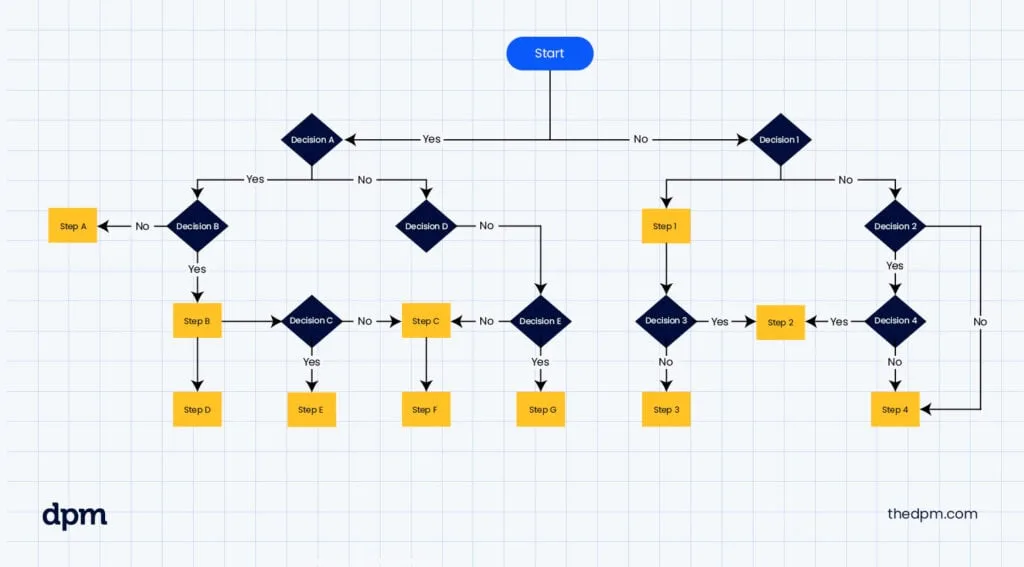
Follow these yes/no questions to find your next step.
Start here:
- Are you within 30 days of delivery?
, Yes → go to step 2.
, No → go to step 6.
- Is the product defective or damaged (not your fault)?
, Yes → File a return on Anker.com (or Amazon if bought there). Mark as defective. Full refund, no restocking fee, free return shipping.
, No → go to step 3.
- Did you open the packaging?
, Yes → go to step 4.
, No → go to step 5.
You opened it but it’s not defective. You can still return it. You’ll pay a restocking fee up to 15% plus return shipping. Decide if it’s worth it. If the item is cheap, keep it. If expensive, proceed with the return request. Mark as “changed mind.”
It’s still sealed. File a return request. Full refund, no restocking fee. Anker pays return shipping.
You’re past 30 days. Is the product defective?
, Yes → File a warranty claim on Anker.com. You’ll get a repair or replacement. No refund.
, No → You’re out of options. Sell it yourself.
What if you bought from Amazon? Ignore steps about Anker.com. Go to your Amazon order page and follow their return flow.
What if you bought from a third-party retailer? Ignore this guide entirely. Go to that retailer’s return page.
What if the product is a gift? If you’re the recipient and don’t have the order number, contact Anker support with the serial number. You’ll get store credit instead of a refund to a card.
Still Stuck? How to Contact Anker Support
If the decision guide doesn’t cover your situation, you need to talk to a human.
Best method: email or support ticket
Go to Anker.com and open a support ticket through their contact form. Include your order number, RMA number if you have one, and describe the issue. Response time is usually within 24 hours during business days.
Second best: live chat
Anker offers live chat on their support page. Hours are typically Monday through Friday, 9 AM to 6 PM Eastern. Chat agents can help with returns, RMA issues, and warranty claims.
Third best: phone support
Anker’s US phone line is (800) 988-7973. Hours are Monday through Friday, 9 AM to 5 PM Pacific. Expect wait times.
Have your order number and RMA ready.
What to have ready before contacting support:
- Order number (starts with ORD on Anker.com)
- RMA number (if you already have one)
- Product name and model number
- Proof of defect (photos or video, if applicable)
- Email address used for the purchase
How to get faster help:
- Use the ticket system instead of phone. Tickets are logged. Phone calls have no paper trail.
- Do not contact support about Amazon orders. Go to Amazon first.
- Be clear and concise: “I want to return product X. Order number Y. Issue is Z. What is my next step?”
- If you already have an RMA number, include it.
What to do if support is unresponsive:
- Wait 48 hours. High volume can delay responses.
- Follow up on the same ticket. Do not open a new ticket. That resets the queue.
- If no response after 72 hours, reply with “Please escalate this to a supervisor.”
- As a last resort, contact them through social media (X/Twitter or Facebook). Keep it professional.
Avoid these mistakes:
- Don’t call outside business hours.
- Don’t email multiple addresses.
- Don’t threaten chargebacks unless you’ve exhausted all options. Chargebacks get your account banned.
- Don’t lie about the issue. Support can check product history and serial numbers.
Frequently Asked Questions
Can I return an Anker product if I lost the original box?
Yes, but it’s riskier. You can return it without the original box as long as the product is undamaged and you pack it securely. Use a sturdy box with plenty of padding.
Anker may still charge a restocking fee for opened items.
Does Anker charge a restocking fee on all returns?
No. The 15% restocking fee only applies to opened, non-defective items. Unopened items have no fee.
Defective items have no fee.
How long do I have to return an Anker product?
30 days from the delivery date. The clock starts on the day the carrier marks it as delivered. If you submit your request on day 31, it’s automatically denied.
Can I return an Anker product bought on Amazon to Anker directly?
No. You must process the return through Amazon’s system. Anker’s return policy only covers purchases from Anker.com.
What happens if I miss the 30-day window but the product is defective?
File a warranty claim. Anker’s standard warranty covers defects for 18 months. You’ll get a repair or replacement, not a refund.
Does Anker pay for return shipping?
Only if the product is defective or arrived damaged. For non-defective returns, you pay shipping. If Anker provides a label, they deduct the cost (around $8) from your refund.